Frosted-Glass Light & Dark UI
Clean translucent styling inspired by macOS and Linear. Collapse to a compact pill, drag anywhere, or smoothly resize from the corner handle.
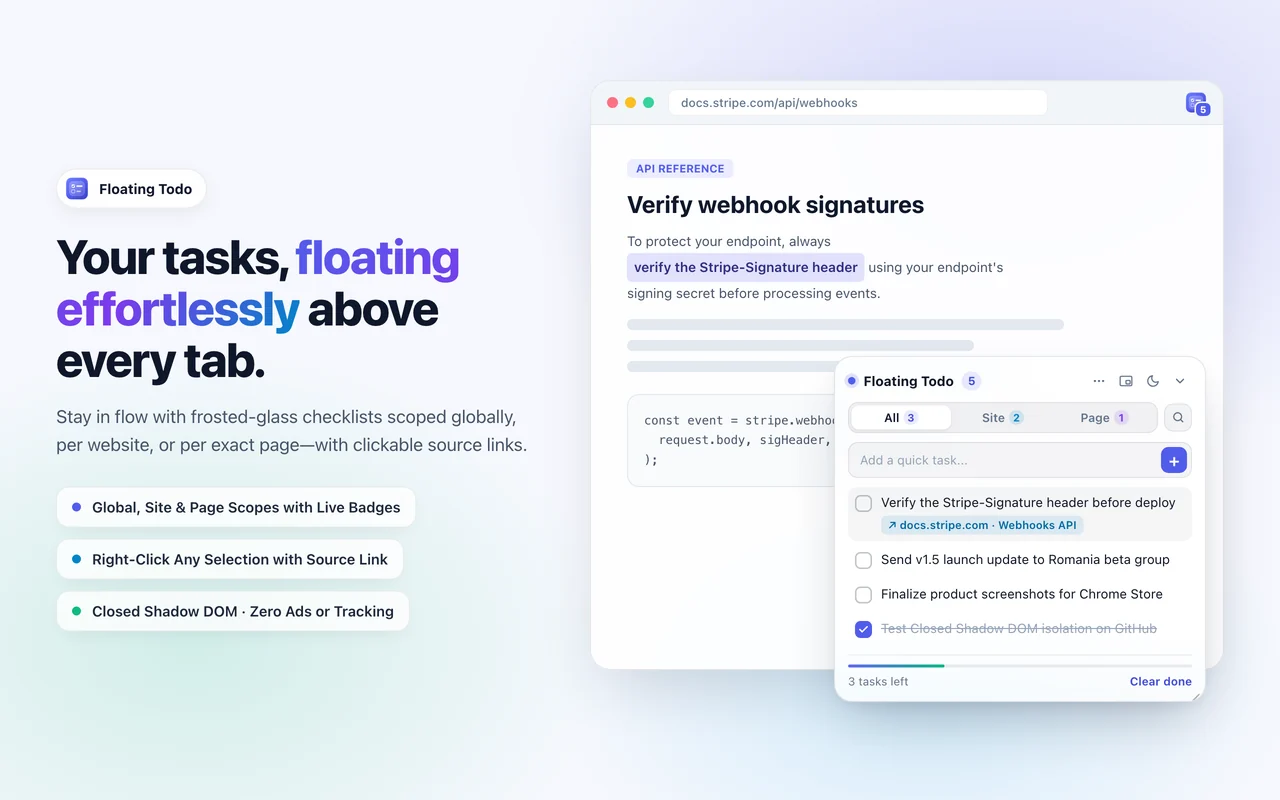
Stay in flow without switching apps. Capture tasks globally, per website, or per page in a frosted-glass card—complete with right-click source links, always-on-top popout, task history, and native browser sync.
Explore every view—from Global/Site/Page scopes and Dark PiP popout to cross-domain search, history recovery, and native sync.
Highlight text anywhere on the web, right-click to save, and jump back to the exact paragraph in one click.
Every detail is engineered for focus, speed, and zero friction across your daily browser workflow.
Clean translucent styling inspired by macOS and Linear. Collapse to a compact pill, drag anywhere, or smoothly resize from the corner handle.
Pin general todos globally, tie checklists to a specific website domain, or attach reminders to an exact article or pull request. Right-click any selected text to capture with its source link.
Pop your task list into a Picture-in-Picture window that floats above every desktop app, or open a dedicated fallback window on internal browser pages.
Search every active task across all domains in one panel, undo accidental deletions for 5 seconds, and browse or restore cleared tasks from your local History archive.
Opt in to sync active tasks across your computers via Chrome's built-in sync storage—using sharded conflict-safe merging with zero developer servers involved.
Zero analytics, zero tracking, zero ads. Your UI lives inside a Closed Shadow DOM so host websites can never inspect or scrape your private tasks.
No heavy workspaces, no login walls, and no hunting for lost tabs.
Add Floating Todo from the Chrome Web Store. It starts working instantly on every tab—zero account creation required.
Type into All, Site, or Page scopes, or highlight any sentence and right-click to save it with a direct link back to the page.
Keep tasks visible in a PiP window above every app, sync privately across your Chrome devices, and archive or export anytime.
Built for the 90% of work that happens inside browser tabs.
Use all core floating task features free forever, or lock in the Early Bird Pro Lifetime deal at 30% off before regular pricing kicks in.
Free forever · No sign-up required
One-time payment · Up to 5 devices · Free v1.x updates
Early Bird launch offer: $3 off the regular $9.99 price. One single payment—never renews.
14-day money-back guarantee · Refund Policy
Everything you need to know about Early Bird pricing, privacy, browser compatibility, and refunds.
Never. Early Bird Pro is a single one-time payment of $6.99 (30% off the regular $9.99 price). You unlock Pro forever on up to 5 personal devices with all v1.x updates included—zero subscriptions or hidden fees.
Your tasks stay 100% in your browser's local storage (chrome.storage.local) by default. Even when you enable optional Cross-Device Sync, data syncs directly through Chrome/Edge's native sync storage—never through our servers. We collect zero analytics, ads, or browsing history, and isolate the card in a Closed Shadow DOM.
Floating Todo Pro is a single one-time payment—no recurring subscription. After purchase, you receive a License Key by email that unlocks Pro features on up to 5 personal browser profiles/devices, including all future v1.x updates.
We offer a straightforward 14-day money-back guarantee on all Pro purchases, aligned with EU consumer protection standards. Simply email our support address with your order number within 14 days of purchase for a full refund.
Chrome and Edge restrict all extensions from injecting overlays onto internal browser pages (such as chrome://settings, New Tab, or the Web Store). Simply click the Floating Todo toolbar icon on those pages to open the standalone popout window instead.
Floating Todo works on Google Chrome, Microsoft Edge, Brave, Arc, and other Chromium-based desktop browsers (Manifest V3). It automatically follows your browser language with 11 locales including English, Română, 中文, 日本語, 한국어, Español, Français, Deutsch, Português, and Русский.
Yes. Every Free user can export their current active tasks as a JSON file at any time for full data portability. Pro adds Markdown (.md) export, complete active + archived history exports, and JSON backup import.
Start free in seconds on Chrome or Edge, or grab Early Bird Pro Lifetime for cross-device sync, task history, and full backups.